
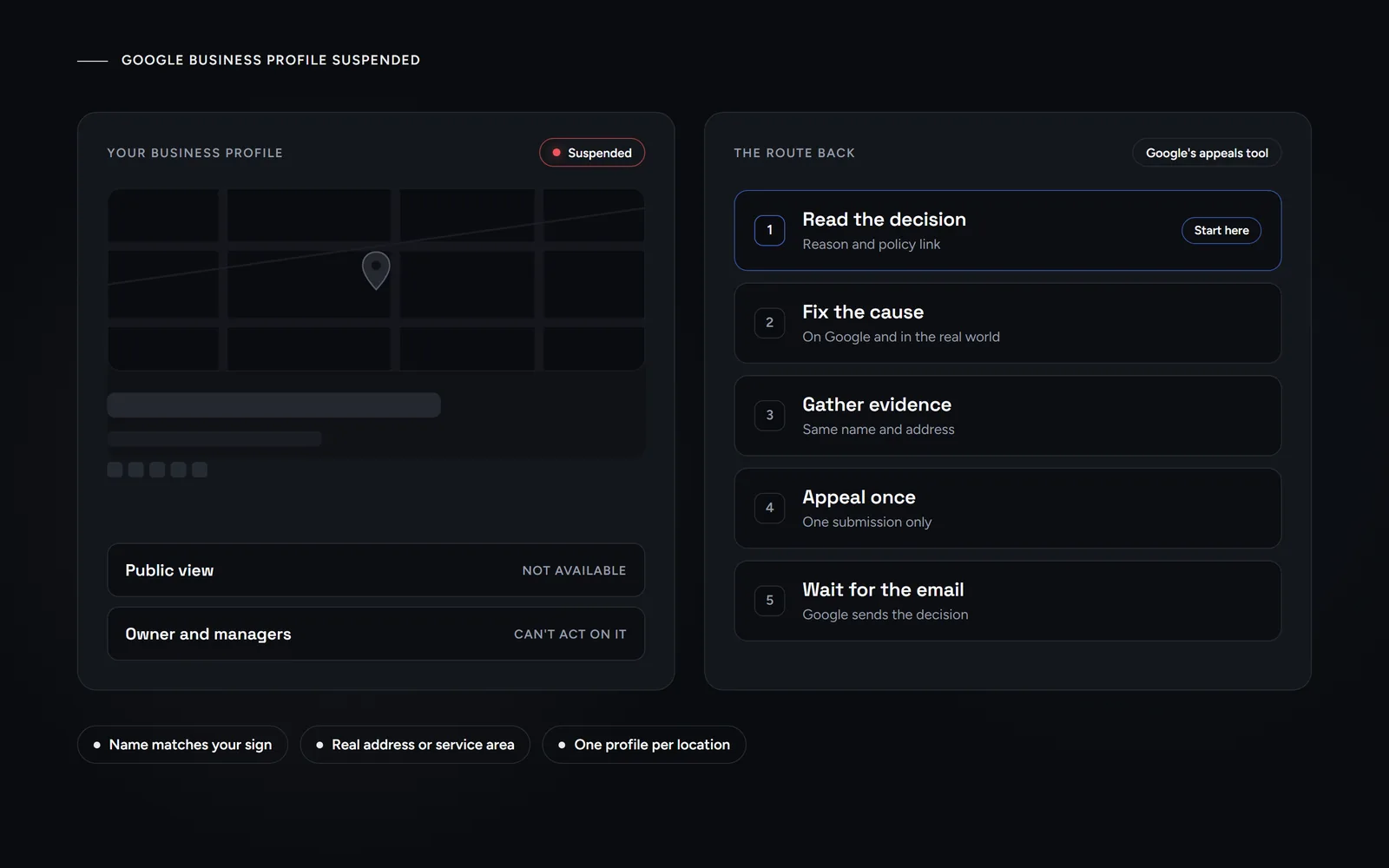
Short answer: when you find your Google Business Profile suspended, the public can no longer open it and you can no longer manage it. First, read the reason in Google’s appeals tool. Then fix the cause, gather documents that show the same name and address, and appeal once. Google says decisions can take up to 5 business days.
If your listing vanished from Maps this morning, you want a fix, not a theory. So this guide sticks to Google’s own Business Profile help pages and adds only what we have seen on our own profile. Morneto is a web design, SEO and Google Ads studio in New York. A Business Profile, the free listing behind your spot on Google Maps, is often the first thing a local customer sees. So losing it hurts fast. Still, most causes can be fixed, and Google offers one clear route back.
What does it mean when your Google Business Profile is suspended?
Put simply, Google has decided the profile breaks its guidelines. Google’s help page on fixing suspended or disabled profiles says it may suspend or disable profiles that don’t follow those guidelines. It also says you can appeal if you believe the profile should come back. While the decision stands, three things hold:
- The public can’t open it. Google says the public can’t go to a removed profile. That is why customers suddenly tell you your business is not showing on Google Maps.
- Nobody can manage it. The owner and managers can’t act on the profile, so edits, posts and review replies all wait.
- Reinstatement restores both. When Google brings a profile back, it reinstates the profile and its owner and managers together.
What the owner sees matters more than any banner. Google’s appeals tool shows the date of the initial decision and the reason. It also links the violated policy, says whether you can appeal and shows the current status. For that reason, a suspended Google Business Profile should send you to the appeals tool before any forum thread. You must sign in with the Google account that is linked to the profile.
Suspended, disabled or restricted: which one do you have?
Google uses all three words, but it does not publish a detailed definition of the difference. However, its policy overview ties each word to specific situations, and that gives you a useful first read. With a suspended Google Business Profile, the first job is to work out which case you face.
| Status | What Google ties it to | What to do first |
|---|---|---|
| Suspended profile | A guideline problem, such as extra words in the name or a P.O. box address | Fix the cause, then appeal the profile |
| Disabled profile | Google decides the business doesn’t exist at the location you claim | Show that you operate there, then appeal |
| Restricted account | A pattern of policy violations by the account | Appeal the account first, then each profile |
| Not eligible | A virtual office, a remote mailbox or an online-only business | Change the setup, because an appeal can’t change eligibility |
Owners often miss the restricted case. According to Google, a restricted account means all Business Profiles linked to it are suspended, and you can’t create or claim other profiles. In that situation, you first appeal the account on your My accounts page. Once Google lifts the restriction, you appeal each profile.
Not every limit is a suspension, though. Google can also limit or suspend user content, such as reviews, for a profile when contributions are consistently unhelpful or off-topic. Google calls that a posting restriction.
Why was my Google Business Profile suspended?
Most cases trace back to a handful of rules in Google’s guidelines for representing your business. These are the ones we would check first:
- A name with extra words. Your profile name should match the name on your storefront, website and stationery. Google says unnecessary information in the name isn’t permitted and could lead to suspension. Taglines, service terms and added location details count as extra, unless they are part of your real name.
- An address you don’t work from. If you rent a mailing address but don’t operate there, Google calls it a virtual office, and that location isn’t eligible. Similarly, P.O. boxes and mailboxes at remote locations aren’t acceptable.
- A shared office without the basics. Coworking and shared offices are a familiar setup in New York. Google allows one only if it has clear signage, receives customers during business hours and has your own staff there during those hours.
- A service area set up wrong. If you travel to customers, Google says you should hide your address. Also, the service area shouldn’t extend farther than about 2 hours of driving from your base, although Google allows larger areas for some businesses.
- More than one profile. Google allows one profile per location, whether you use one account or several.
Two quieter causes exist too. First, Google may reject edits that change what a business is, such as a significant change to the name or category. In Google’s view, such edits are often fraudulent or a sign that the listing should come down. Second, a problem with the Google account itself can suspend every profile it manages.
What did our own profile name teach us about Google’s rules?
We learned the name rule on our own listing. Our Google Business Profile went live on Sep 16, 2026, and verification completed automatically. Later, we asked Google to rename it Morneto Web Design, SEO & Google Ads. Google rejected that longer name. As we read the guidelines, every word in a profile name has to match the name on the real-world signage and branding. The name Google approved, Morneto Web Design & SEO, has been on the profile since Sep 24, 2026.
That was a rejected edit, not a suspension. Even so, it is the same rule that Google says can lead to suspension. So before you change a name, check three places:
- The sign. Every word in the profile name should appear on your permanent signage.
- The website and stationery. Your site header, invoices and business cards should use the same name.
- Legal terms and symbols. Google only accepts additions such as LLC or special characters with real-world proof, such as signage, business cards or invoices.
How do you get a suspended Google Business Profile reinstated?
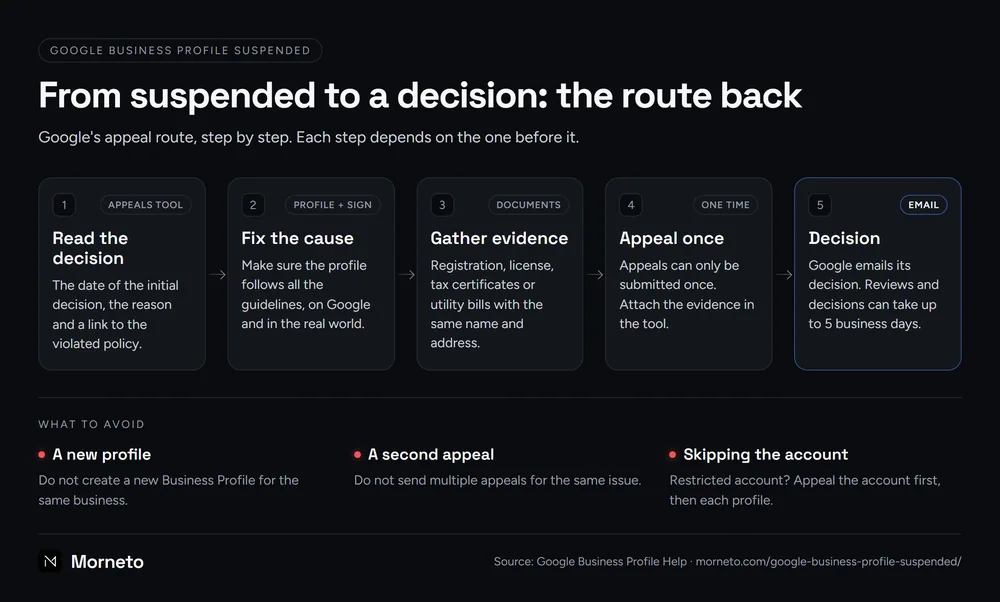
Work in this order. When you get a suspended Google Business Profile back, each step depends on the one before it.
- Check eligibility. Google requires in-person contact with customers during your stated hours. Online-only businesses and lead generation companies don’t qualify, and no appeal changes that.
- Read the decision. Open the appeals tool and note the reason and the policy link.
- Fix the cause. Google asks you to make sure the profile follows all the guidelines before you appeal. Often that means real-world changes too, such as a new sign.
- Gather evidence. Prepare your documents before you start, because you attach them in the tool.
- Appeal once. Google says appeals can only be submitted once. In addition, do not create a new Business Profile for the same business.
- Wait for the email. Google reviews the appeal and emails you its decision. Reviews and decisions can take up to 5 business days, and Google asks you not to send multiple appeals for the same issue meanwhile.
If Google denies the request, it may do an additional review, and you can add evidence that you left out the first time.
What evidence does Google accept in an appeal?
For a suspended Google Business Profile, Google lists official business registration, a business license, tax certificates and utility bills, such as electricity, phone, water or internet. Its page on content appeals also names cable bills. Most importantly, the business name and address on each document should match the profile. So a bill in a personal name, or one with an old address, does not show what Google asks for.
Photos and video are not on that list. Still, Google’s address rules say businesses that show an address should maintain permanent fixed signage. In our view, a clear photo of a sign that carries your exact profile name is therefore reasonable to attach. Video is Google’s tool for verification instead. If Google asks you to verify again, a video can show outside signs, branded equipment and proof that you manage the business. Our guide on how verification works, including the video for New York buildings, covers that recording.
Finally, use the text box for plain facts. Say what the reason was, what you changed and which documents you attached.
How do you prevent another suspension?
Once a suspended Google Business Profile is back, prevention is mostly routine. Keep one owner account in good standing, and add people as managers instead of sharing a login. Likewise, make any name change on your sign and site first, then on Google. If Bing Places syncs from that profile, click Sync afterward, since Bing says linked listings are updated on Google first, as our guide to Bing Places and the Google sync explains. If an agency manages the profile, Google expects it to work only with the owner’s consent. Breaking those rules can suspend the profile or the account.
A yearly check against the guidelines also catches drift, and our field-by-field guide to setting up a profile shows what each field should hold. If you want an outside view of the whole picture, read what a good SEO audit should tell you before you hire anyone. Reviews are a separate problem, and our guide on how to remove Google reviews that break the rules covers it.
For ongoing help, we offer Google Business Profile work inside our SEO plan from $799 a month, starting with a check against Google’s rules. Or, if you only want a second opinion, send us your business name for a free search visibility audit. We reply within one working day.
Common questions about a suspended Google Business Profile
Is a Google Business Profile suspension permanent?
Not necessarily. Google reinstates the profile and its owner and managers when an appeal succeeds. However, some decisions show the status Can’t be appealed in the appeals tool, and a denied appeal may get an additional review only in some cases.
How long does reinstatement take?
Google says appeal reviews and decisions can take up to 5 business days. It sends the decision by email, and you can follow the status in the appeals tool in the meantime.
How do I speak to a person at Google?
For a suspension, the appeals tool is the official route. For other problems, such as trouble with a reinstated profile, use the contact form in Google Business Profile Help. If the first reply does not solve it, answer that email.
Why has my business disappeared from Google?
A suspended or disabled profile is one reason, since the public can’t open it. Yet an unverified profile can also fail to show its content across Google, so check your verification status first.
Should I create a new profile while I wait?
No. Google tells owners not to create a new Business Profile for the same business. A second profile also breaks the rule of one profile per location.