
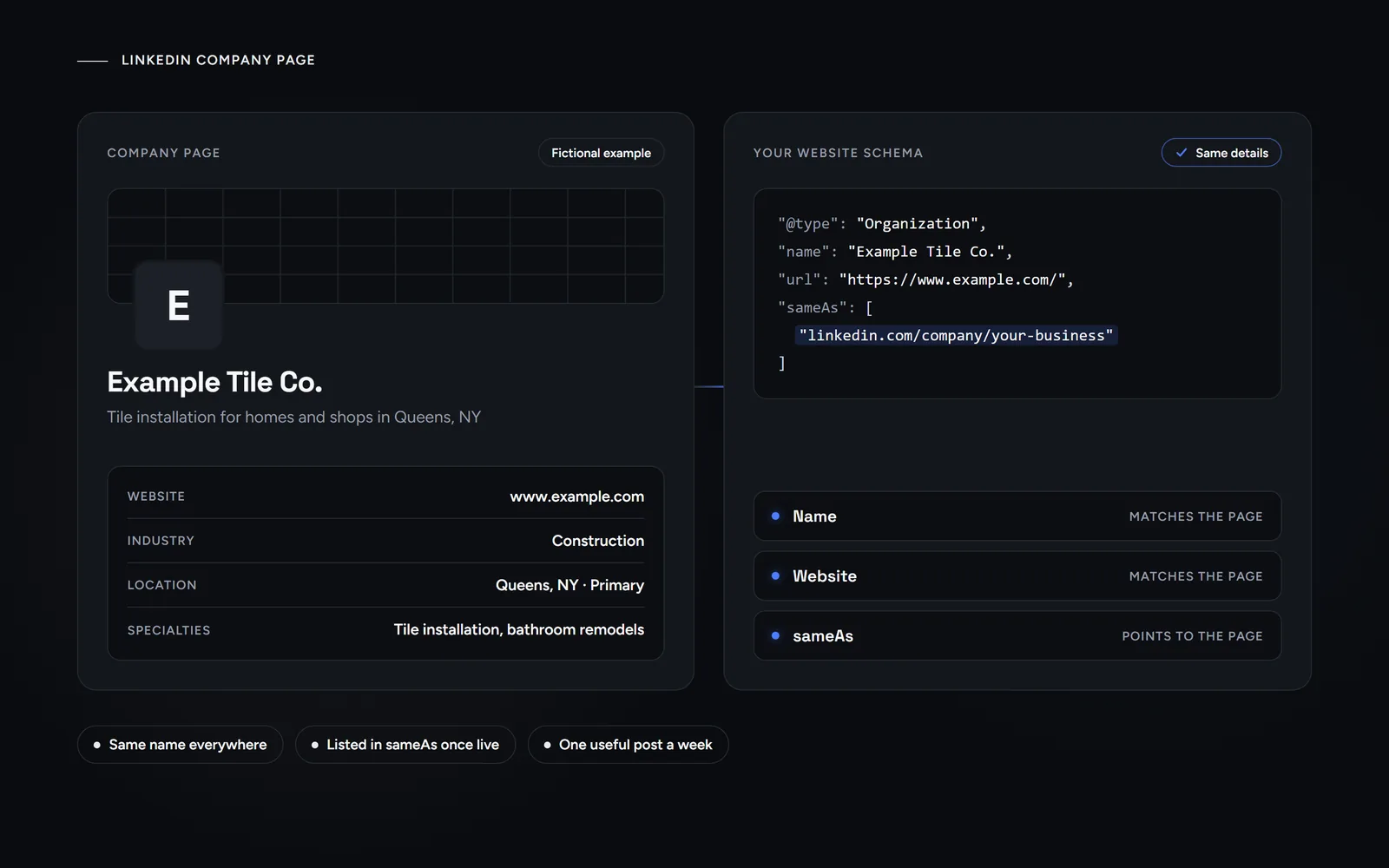
Short answer: a LinkedIn company page is free, but you need a personal LinkedIn account first. LinkedIn asks for a real name, more than one connection and, at times, a verified workplace. Then fill in the logo, overview, website and location, post on a steady rhythm, and keep the name and address identical to your website.
Customers, suppliers and new hires may look a business up on LinkedIn before they call. So a half-built LinkedIn company page sends the wrong signal. This guide follows LinkedIn’s own Help pages, as we read them on Oct 31, 2026. It also shows how we handle profile links on our own site. Morneto is a web design, SEO and Google Ads studio in New York, and to us a company page is one more place where your business details must match.
What is a LinkedIn Page, and does it cost anything?
A Page is the official home of an organization on LinkedIn. In LinkedIn’s words, Pages represent organizations, while profiles represent individuals. Creating one is free. According to LinkedIn, a Page helps members learn about your business, brand, products and services, and job opportunities. Most small businesses need the Company type, although LinkedIn offers others:
- Company Page. The free page for your business, with posts, analytics and a call to action.
- Showcase Page. A page for a brand, business unit or initiative. You need a Company Page first.
- Service Page. A list of the services you offer. LinkedIn says it makes those offers more discoverable on LinkedIn and through search engines like Google.
Paid extras are optional. For example, a custom call-to-action button needs a Premium Company Page subscription. Still, you can build a complete LinkedIn company page without one. One more fact for context: LinkedIn says Microsoft completed its acquisition of LinkedIn in December 2016.
What do you need before you create a LinkedIn company page?
Your personal account comes first, because LinkedIn requires one before any Page can exist. Its best practices and troubleshooting pages list these checks:
- A real profile. Use your real first and last name, and confirm the email address on your account.
- More than one connection. LinkedIn says your account must have more than one connection with another member.
- A short wait. If you opened your account recently, LinkedIn asks you to wait at least one day.
- A verified workplace, at times. You might need to verify the job on your profile, through a work email or Microsoft Entra Verified ID.
- No existing Page. Search for your business first. If a Page exists, request admin access instead. If LinkedIn made a Listing Page for you, an eligible employee can claim it.
Also, pick your web address early. Every Page URL follows the pattern linkedin.com/company/your-name. It takes lowercase letters, numbers and single hyphens, but no capitals. If another organization already uses your name, choose a variant. LinkedIn’s own example turns abc into abcinc.
How do you create a LinkedIn company page step by step?
The desktop steps on LinkedIn’s help page on creating a Page are short. Note that creating a Page works on desktop and in the iOS app, but not on Android.
- Open For Business. Click the For Business icon in the upper-right corner of your LinkedIn homepage.
- Choose Create a Company Page. Scroll down, click it and select the Company type.
- Enter the details. Add the Page identity, company details and profile details.
- Confirm your right to act. Tick the box that says you may act on behalf of the company.
- Click Create page. After that, click Start building your page! to fill it in.
Once the LinkedIn company page exists, you are its super admin. Next, give each helper the role that fits:
- Super admin. Every permission, including adding admins, editing Page information and deactivating the Page.
- Content admin. Creates and manages posts, events and boosted posts.
- Analyst. Sees only the Analytics tab.
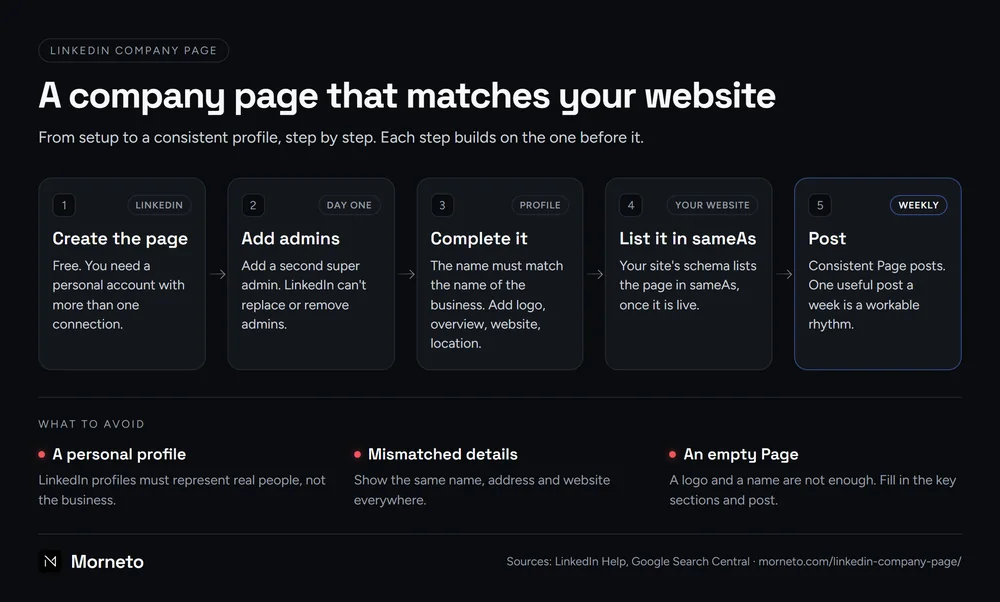
Add a second super admin on day one. LinkedIn says it can’t replace or remove admins, so plan for the day one admin loses access or leaves. In addition, each admin can turn on two-factor authentication.
What should you fill in, and can you get verified?
LinkedIn’s list of key sections for a LinkedIn company page includes industry, company size, overview, description, logo, commitments, website URL and location. It adds that Pages with a logo, description and website URL potentially receive 30% more weekly views. Here is how we would fill them in:
- Name. LinkedIn says a Page name must match the name of the business. So use the exact name on your website and sign.
- Overview. Write two or three plain sentences on what you do, for whom and where.
- Website and location. Link your home page, then add your address and mark the primary one. Write both exactly as your website does.
- Specialties. A public Page can also show Specialties in its About section, as Microsoft’s own Page does. List your services there in plain words.
- Logo and cover. LinkedIn recommends a 400 x 400 pixel logo and a 1512 x 256 pixel cover, as PNG or JPEG files up to 3MB. Keep key details away from the cover’s edges, since screens crop it.
Verification is a separate step. The badge signals that a Page is the official Page of the organization, yet LinkedIn says it isn’t available for all Pages. Pages with Premium Company Page or paid products, such as Jobs or Ads, are eligible automatically. Otherwise, eligibility may depend on posting regularly or responding to members, and eligible Pages see the option under Settings. LinkedIn also weighs the accuracy of data such as your location and website URL. Even so, no step guarantees a badge, and the process could take up to ten days.
How does a LinkedIn company page help in search and AI answers?
Keep expectations modest here. LinkedIn says members and search engines use your Page’s unique URL to find it. So a LinkedIn company page is one more public record of your business. Google’s documentation on Organization structured data then supplies the link back. It defines sameAs as the URL of a page on another website with more information about your organization, such as a social media profile. Google also says organization markup on your home page can help it understand your administrative details and disambiguate your organization in search results.
In practice, that comes down to three habits:
- One business, many records. Your website, your Business Profile and your company page should show the same name, address and website.
- Links in both directions. The company page links to your site, and your site’s schema lists the page in sameAs.
- No ranking promise. Google’s documentation doesn’t call sameAs a ranking factor, and neither do we.
AI assistants follow similar logic, in our view, because they prefer businesses they can identify clearly. Our guide to getting found by AI answers in ChatGPT, Copilot and Google explains why a consistent identity matters. LinkedIn belongs to Microsoft, which also runs Bing. Even so, we have not seen Microsoft say that Copilot reads LinkedIn Page data, so we don’t count on it. For the Microsoft side of local search, our guide to listing your business on Bing Places covers the map listing.
Which profiles does our own website schema list today?
We checked the markup on our own home page on Oct 31, 2026. Both our Organization node and our LocalBusiness node list the same four sameAs URLs:
- Trustpilot. Our review page at trustpilot.com/review/morneto.com.
- Google Maps. Our Business Profile, linked by its Maps ID.
- Instagram. The account @morneto_llc.
- YouTube. The channel @morneto_llc.
Our footer links to the same four profiles. There is no LinkedIn company page in that list. Our rule is simple: a profile goes into sameAs only once it is live and carries our name and website. That rule keeps the markup honest, since a sameAs link to a missing page, or to one with another name, only adds doubt. Our post on what we removed from our own structured data shows the same idea from the other side.
If you would rather hand this off, our SEO plan for New York small businesses keeps your details identical across every listing, from $799 a month. For the visual side, our brand work applies one logo and look to your website and social profiles. Or, first ask us for a free search visibility audit. We reply within one working day.
How often should you post, and what goes wrong?
LinkedIn calls consistent Page posts a best practice. It warns that quiet Pages may look unofficial or inactive. According to LinkedIn, Pages that post weekly have over five times more followers, growing seven times faster, than Pages that post monthly. For a small business, one useful post a week on a LinkedIn company page is a workable rhythm. Our internet marketing basics for a small business suggest one social channel, run well, before any others. You can also import posts from your website, blog or YouTube channel. Meanwhile, avoid these common mistakes:
- A personal profile as the business. LinkedIn profiles must represent real people. LinkedIn may log you out, and repeat violations may get the account restricted. You also can’t convert a profile into a Page.
- Mismatched details. When the Page, your website and your Google listing show different names or addresses, nobody can tell they belong together. Our guide on whether you need a Google Business Profile explains what a local business gives up without that listing.
- An empty Page. A logo and a name are not enough, so fill in the key sections and post.
- A second Page. If a Page already exists, request admin access, and report true duplicates to LinkedIn.
Common questions about a LinkedIn company page
Do I need a personal LinkedIn profile to create a company page?
Yes. LinkedIn says you must have a LinkedIn profile to create a Page. Afterward, you can add other people from your business as admins.
Does a LinkedIn company page cost money?
No. LinkedIn says you can create a Page for free. A Premium Company Page subscription is optional and adds features such as a custom call-to-action button.
What is a LinkedIn Showcase Page?
A Showcase Page represents a brand, business unit or initiative for a specific audience. You need a Company Page first, and each Page can have up to 25 Showcase Pages.
Can I turn my personal profile into a company page?
No. LinkedIn says you can’t convert a profile into a Page. If you set up a profile for your business by mistake, LinkedIn recommends changing it to your real name and creating a Page instead.
How long does LinkedIn Page verification take?
LinkedIn says it could take up to ten days. It only responds when the Page is verified, or when the request fails or times out and needs action from you.